Built by a contractor, for contractors

Bid the job.
Write the contract.
Get to work.

PreciseBid is a standalone estimating tool for residential contractors — 662 pre-priced line items across 17 trades, plus one-click contracts, invoices, work orders, scope-of-work sheets, and payroll. No subscription. No internet required.

Runs offline, own it forever Windows, browser, or tablet Your data stays on your machine
30'-0" ROF001 Arch. Shingles — $425/SQ WIN008 Bay Window — $2,850 EXT018 Entry Door — $685 CON001 Slab Pour — $6.85/SF
Every line item below is real — pulled straight from the PreciseBid database
662+
PRICED LINE ITEMS
17
TRADE CATEGORIES
4
JOB DOCUMENT TYPES
$0
MONTHLY FEE
What's inside

One tool, every job document

Everything a residential contractor fills out for a job, in one place — priced by trade, labor and material broken out separately, ready to print or hand to a client.

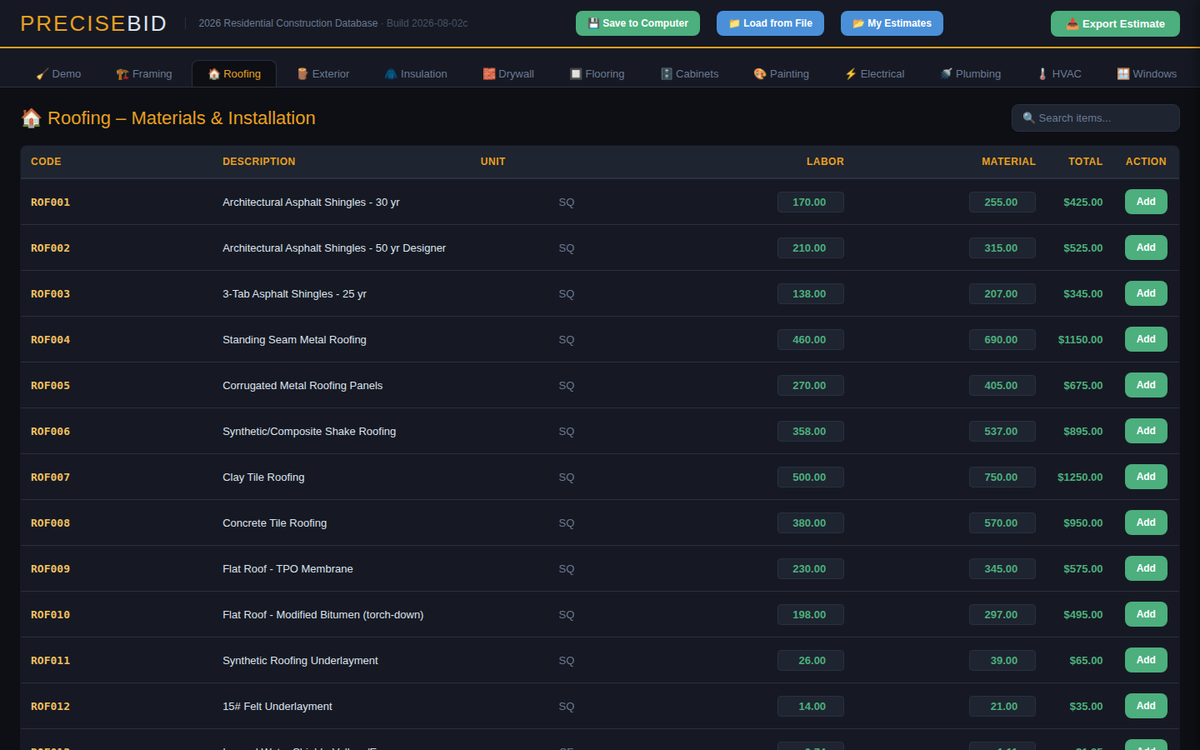
Estimating database

662 line items, priced and ready

Demo, framing, roofing, electrical, plumbing, HVAC, concrete, and more — 17 trades in all, each item with labor and material broken out separately so your margins are never a guess.

  • Every price is editable, right in the table
  • Add your own custom line items per trade
  • Search and filter by code or description
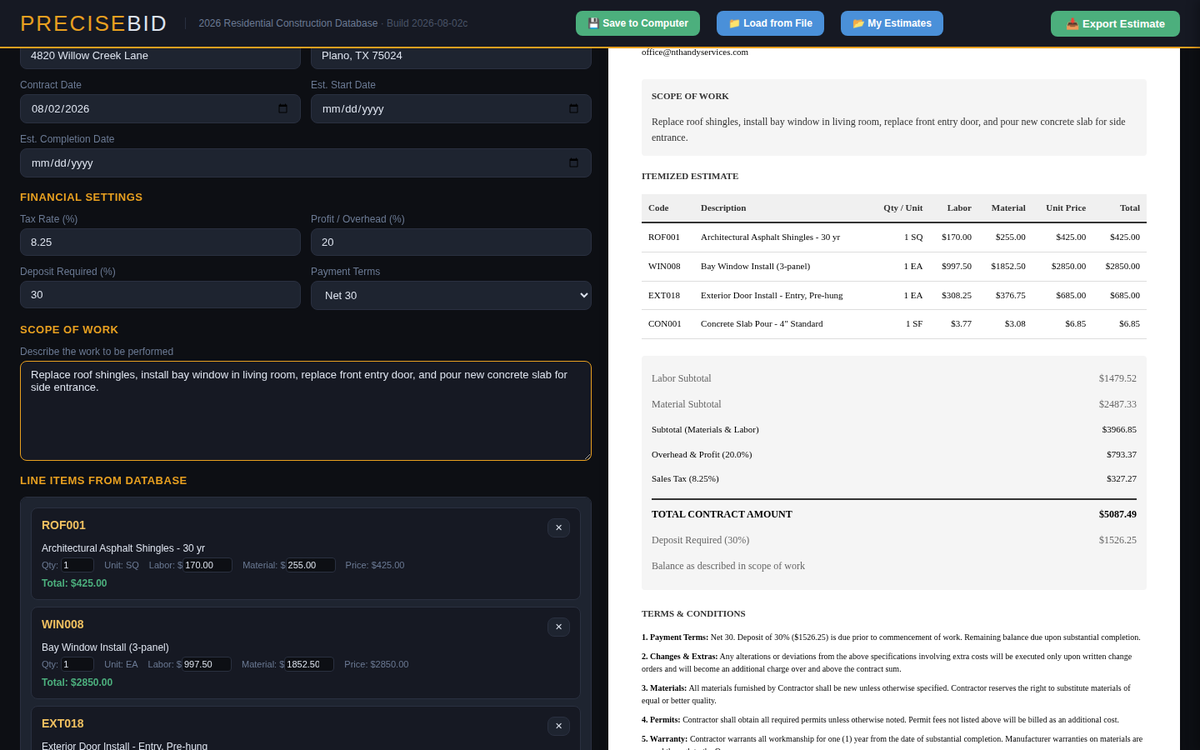
Contract / Invoice

One document, two modes

Build the estimate once, then generate a signed-ready contract or a client invoice from the same line items — switch between them with a single click.

  • Company and client info remembered automatically, with autocomplete for returning clients
  • Print or Save as PDF — a clean copy every time, on any computer
  • Auto-numbered, and pull up any past job instantly by its number
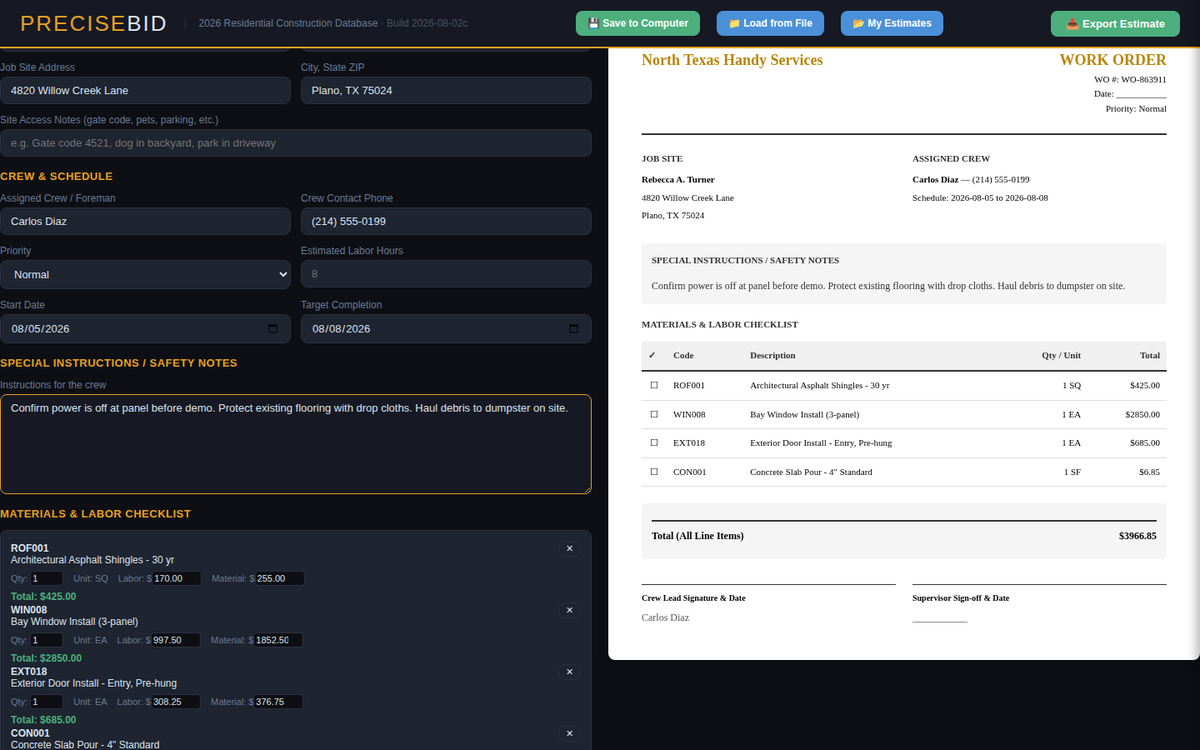
Work order

Tell the crew what to do

A materials-and-labor checklist pulled straight from the estimate, with crew assignment, schedule, and a "hide pricing" toggle for anything handed to a jobsite crew.

  • Work order # auto-matches the contract number
  • Per-line and total job cost, always shown
  • Printable checklist your crew can check off
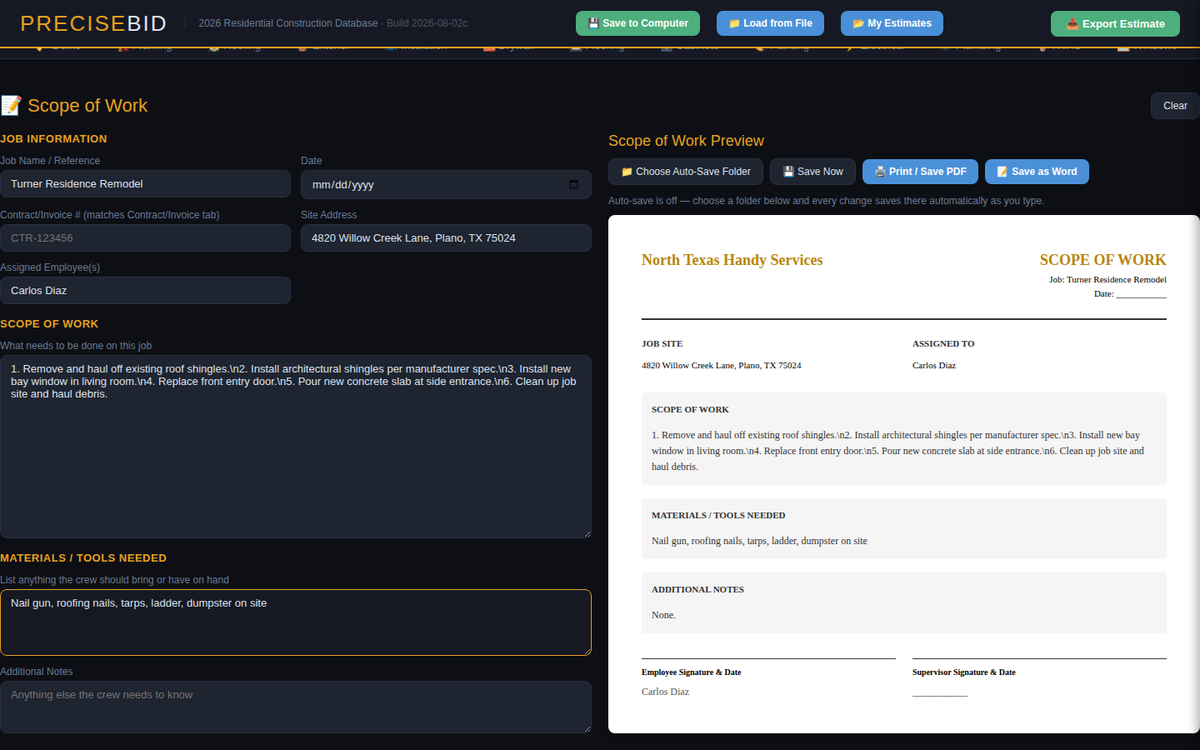
Scope of work

A plain task list for the job

Site address, assigned employee, and a straightforward description of what needs doing — the document you actually hand somebody before they start.

  • Materials/tools needed and special notes
  • Signature lines built in
  • Auto-saves as you type, no "save" button to forget
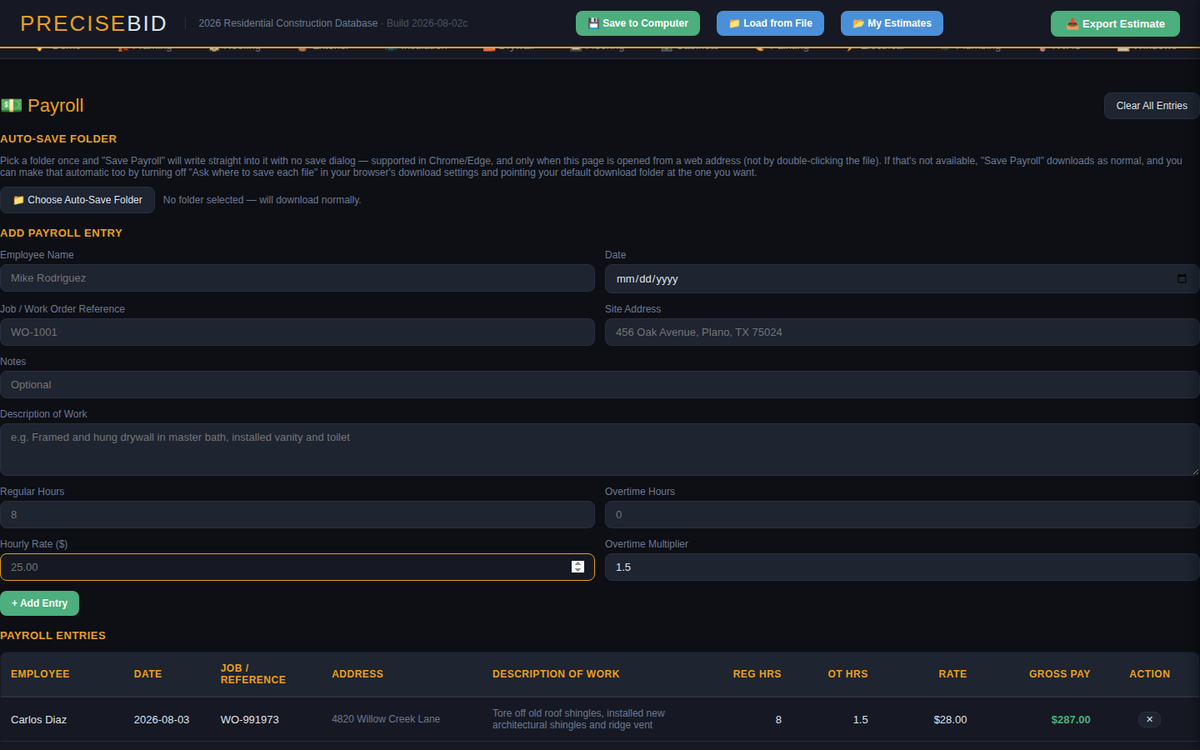
Payroll

Hours, rate, done

Log regular and overtime hours per employee against a job, with a description of the work performed — export the whole log to CSV whenever you need it.

  • Automatic overtime multiplier
  • Tied to a job or work order reference
  • Running payroll total, always visible
Runs your way

Desktop app or single file

Install it as a standalone Windows program with native Save dialogs and folder access, or run the same tool as one self-contained file in any browser.

  • No install required either way
  • Works with no internet connection
  • Your estimates never leave your computer
From estimate to paperwork

The document you hand somebody

Every job produces paper — a contract to sign, an invoice to collect on, a work order for the crew. PreciseBid builds all of it from the same line items you already priced.

North Texas Handy Services
INVOICE
INV-991973
ROF001 — Architectural Shingles2.5 SQ
WIN008 — Bay Window Install1 EA
EXT018 — Entry Door, Pre-hung1 EA
Labor Subtotal$1,240.00
Material Subtotal$2,890.50
Balance Due$4,130.50
  • 01
    Pick items from the trade tabs — each one already has a labor and material price, editable if a job runs different.
  • 02
    Build the estimate in the sidebar, adjust quantities, add profit margin and tax.
  • 03
    Send it to a contract, invoice, work order, or scope of work — same numbers, four different documents.
  • 04
    Print it, save it as a PDF, and let PreciseBid save the contract, work order, scope of work, and a backup file to your own job folder in one click.
Getting started

Set up once, bid for years

There's no account to create and nothing to configure on a server somewhere. Open it, set your company info once, and start pricing jobs.

1

Open PreciseBid

Double-click the app, or open the file in a browser. Either way, you're pricing a job in seconds.

2

Enter your company info

Name, license number, address, phone — entered once, remembered every time after.

3

Price the job

Search or browse 662 line items across 17 trades, add what applies, adjust quantities and pricing.

4

Hand over the paperwork

Generate the contract, invoice, work order, or scope of work — print it, save it, or email the PDF.

Why a one-time purchase

Own it. Don't rent it.

Most estimating software is a monthly subscription tied to a login on someone else's server. PreciseBid is a file on your computer.

Typical subscription estimating software

Pricing$50–150 / month, forever
Internet requiredYes, every time
Data storageOn their servers
Stop payingLose access to your own estimates

PreciseBid

PricingOne payment, own it
Internet requiredNo — runs fully offline
Data storageYour computer only
Stop using it tomorrowEvery file you saved still opens
Pricing

One price. Every feature. No renewals.

The estimating database, all four job document types, payroll, and every edition — Windows app, browser, and tablet — nothing held back for a higher tier.

PreciseBid — Full License
$299
one-time payment · launch price · use on your own machines · free updates
  • 662+ priced line items across 17 trades
  • Contract, invoice, work order & scope of work
  • Payroll tracking with CSV export
  • Three editions included: Windows app, browser (Mac/Chromebook), and tablet
  • Auto-save every job (contract, work order, scope of work & backup) to your own folder
  • All future updates included
Get PreciseBid →
Questions

Before you buy

Does it need an internet connection?

No. PreciseBid runs entirely offline, in any of its three editions. You can price a job, generate a contract, and save it to a folder with no connection at all.

Where does my data go?

Nowhere but your own machine. Estimates, saved contracts, payroll records — all of it stays on the computer you're using. There's no account, no server, and nothing PreciseBid sends anywhere.

Can I edit the prices?

Yes — every labor and material price in the database is editable directly in the table, and you can add your own custom line items to any trade category.

What if I only do a few trades?

All 17 trade categories are included regardless — use what applies to your work and ignore the rest. There's no per-trade pricing or add-ons.

Does this run on Mac?

Yes — the browser edition runs on any computer with a modern browser, Mac included, and the tablet edition covers iPad and Android. The packaged standalone app is currently built for Windows.

Windows says it "protected my PC" — is that normal?

Yes. That warning appears for any app from an independent publisher that hasn't paid for a Microsoft code-signing certificate — it doesn't mean anything is wrong. Click "More info," then "Run anyway." You'll only see it the first time you open PreciseBid.

What if I lose my download or get a new computer?

Your purchase and download link are always available in your Gumroad Library, tied to the email you used at checkout — just log back in and download it again any time, on as many of your own machines as you need.